Personalized user experiences are no longer optional - they’re expected. With 76% of users frustrated by generic interfaces, companies leveraging AI tools for personalization report 40% higher revenue and a 166% increase in ARPU. These tools are transforming UX design by automating repetitive tasks, analyzing user behavior, and enabling dynamic, data-driven designs.
Here are 8 AI tools reshaping UX design:
- Figma Make: Turns designs into interactive prototypes using natural language, with seamless integration into Figma libraries.
- Uizard: Converts text, sketches, or screenshots into prototypes, ideal for early product validation.
- Stitch: Generates prototypes from business goals or moods, skipping traditional wireframing.
- Jasper: Creates personalized UX copy by integrating with CRM data for tailored messaging.
- Adobe Firefly: Produces brand-specific visual assets with legal assurance and style consistency.
- Attention Insight: Uses predictive heatmaps to validate design hierarchy and improve user focus.
- UX Pilot: Generates high-fidelity prototypes in seconds, with predictive heatmaps and design system sync.
- Khroma: A free tool for generating color palettes tailored to your preferences with WCAG compliance.
These tools empower designers to focus on user needs while automating tedious tasks, bridging the gap between user expectations and delivered experiences.
Comparing the Top 5 AI UX Design Tools: Features, Output, and User Experience
sbb-itb-a759a2a
1. Figma Make
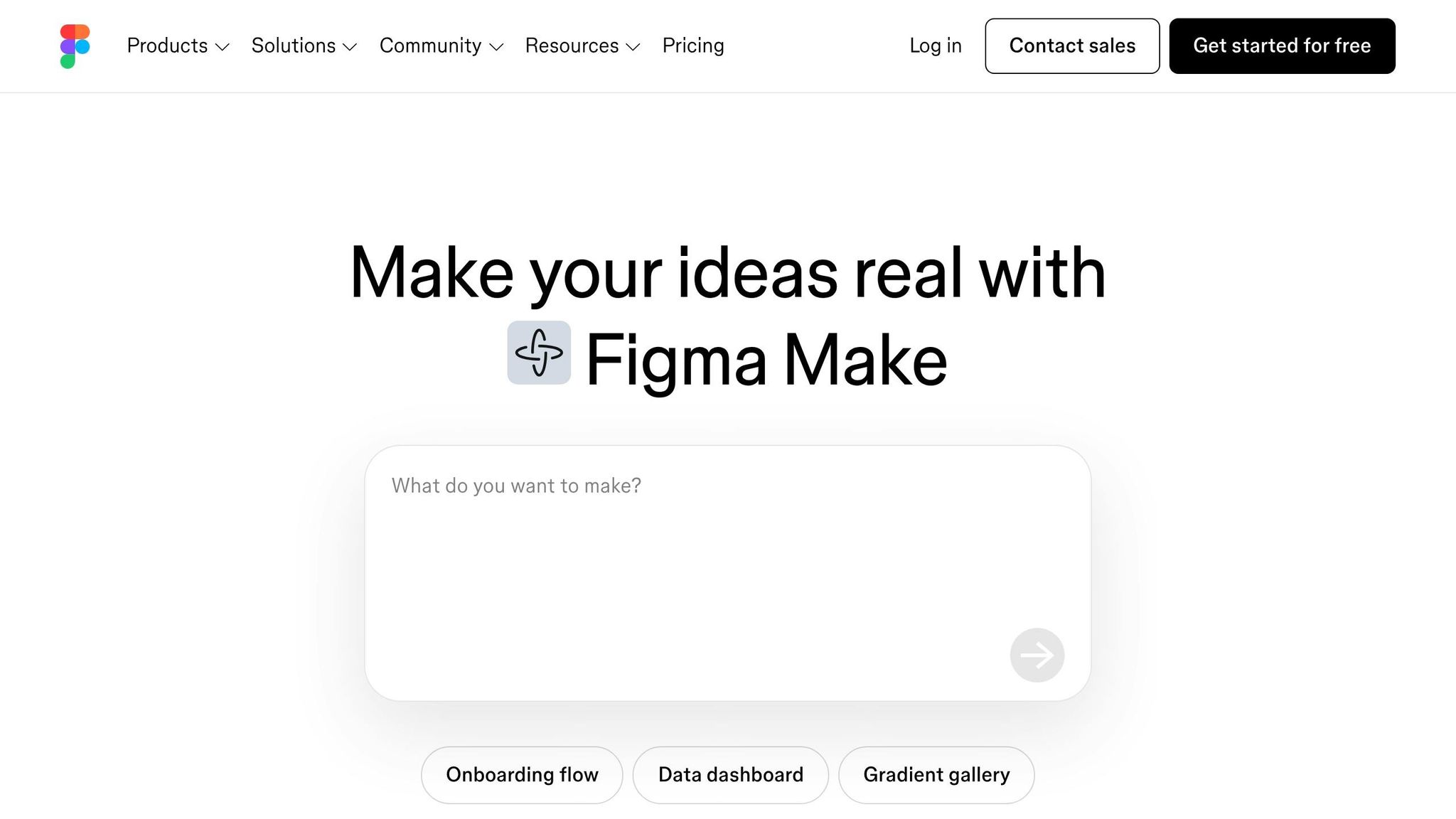
Figma Make transforms designs into interactive prototypes using natural language prompts - no coding required. Introduced in May 2025, it leverages Claude 3.7 Sonnet as its AI backbone, seamlessly connecting design ideas to functional prototypes. As Peter Ng, Product Designer at Figma, puts it:
"Making your designs 'real enough' to play with can be time-consuming or require you to code. That's why we built Figma Make: so you can move from imagining to actually experiencing your designs."
Ideal Use Case
Figma Make shines when it comes to creating quick, functional prototypes for testing personalized user experiences with real data. Instead of relying on placeholder content, designers can link their prototypes to backends like Supabase. This allows them to see how dynamic, user-specific elements - like custom dashboards or account details - affect the design. In March 2026, teams at ServiceNow, Ticketmaster, and Affirm used Figma Make to develop prototypes that helped them explore ideas more deeply and build team consensus faster. This reflects the growing trend toward dynamic, data-driven UX design.
Core Personalization Feature
The tool integrates seamlessly with your Figma design library, ensuring prototypes stay visually consistent and aligned with your brand across different user segments.
Pricing Tiers (USD)
Figma Make is included in Figma's paid plans, with a free option available for initial prototype testing. Users with other seat types may have limited trial access.
Primary Benefit for UX Designers
By removing the need for coding, Figma Make allows designers to focus on how interfaces feel and function. Its intuitive point-and-prompt editing feature lets users select elements and describe changes - like "Make this button trigger an animation" - to adjust interactions instantly. According to Figma's 2025 AI report, 78% of designers and developers believe AI enhances their productivity. This frees teams to prioritize strategic decisions while letting the tool handle repetitive layout work.
2. Uizard
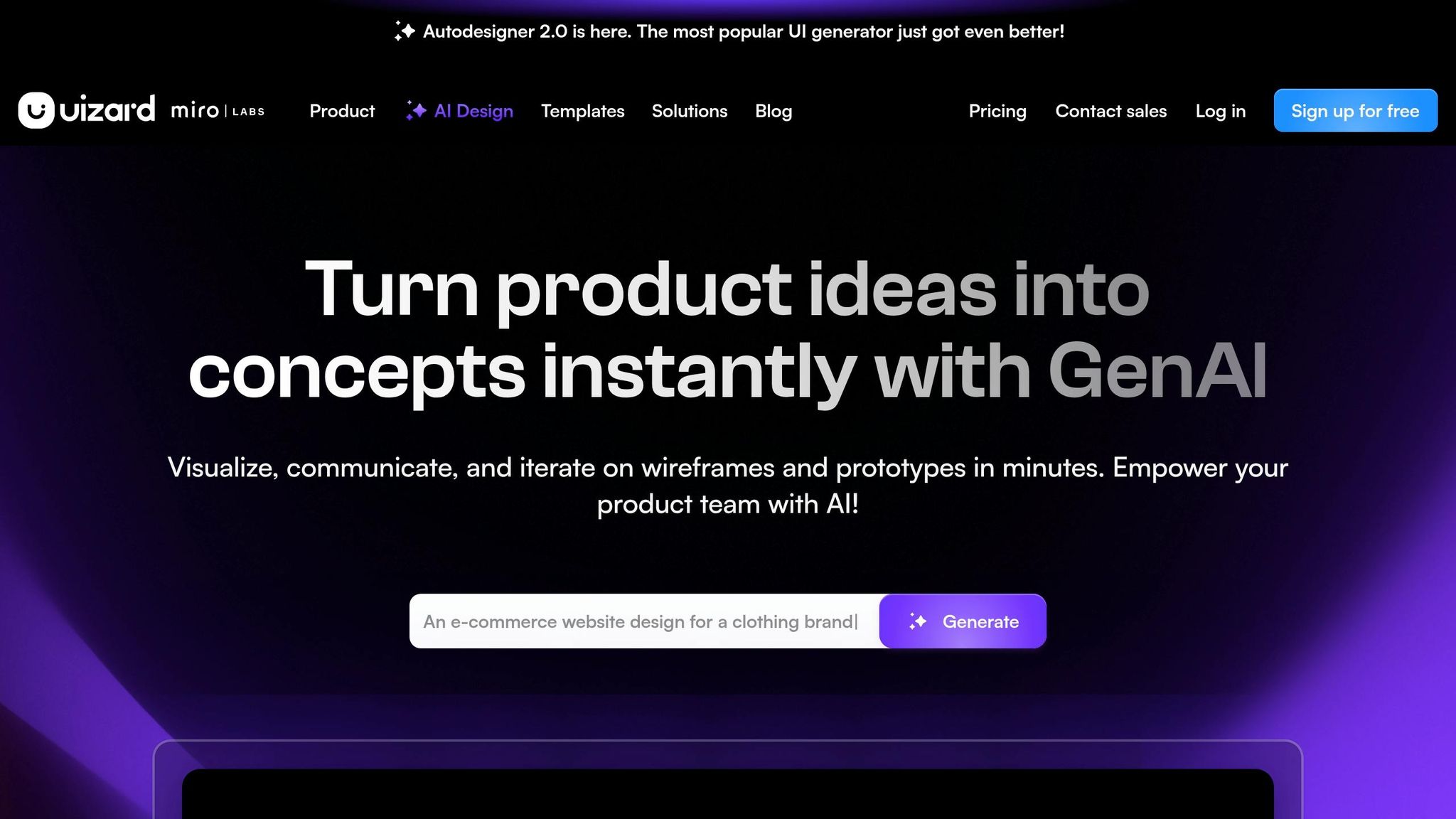
Uizard is a tool that transforms text prompts into clickable prototypes in just 30-60 seconds, powered by its Autodesigner 2.0 engine. Since its launch in 2018, this AI-first platform has helped startup founders and product teams turn rough sketches into testable MVPs - all without writing a single line of code. This swift process allows for rapid iterations during the early stages of product development. Elizabeth, a designer at DesignerUp, summed it up perfectly:
"I can't believe I just watched AI transform a text prompt into a complete UI flow right before my eyes in seconds with Uizard."
Ideal Use Case
Uizard shines when it comes to early-stage product validation. It enables product managers and non-designers to quickly bring feature ideas to life, which can then be refined collaboratively with design teams. Its standout feature? Scanners that convert competitor app screenshots or hand-drawn sketches into editable, testable designs. For instance:
- Screenshot Scanner: Turns competitor app screenshots into mockups, ideal for competitive analysis.
- Wireframe Scanner: Digitizes hand-drawn sketches or whiteboard drawings into customizable digital wireframes in seconds.
Core Personalization Feature
Uizard’s Theme Generator is a game-changer for creating custom themes. By analyzing uploaded screenshots, mood boards, or URLs, it extracts color palettes, typography, and UI components to craft designs that align with your brand. For Business and Enterprise users, the Custom Brand Kit goes a step further by teaching the AI your design system. This ensures every generated screen adheres to your brand guidelines, making it a perfect fit for personalized UX strategies.
Pricing Tiers (USD)
- Free ($0/month): Includes 2 projects and 3 AI generations monthly.
- Pro ($12/month, billed annually): Offers 100 projects and 500 AI generations with Autodesigner 2.0.
- Business ($39/month, billed annually): Provides unlimited projects, 5,000 AI generations, and access to custom brand kits.
- Enterprise (custom pricing): Includes unlimited AI generations and white-glove onboarding.
Primary Benefit for UX Designers
Uizard takes the hassle out of repetitive wireframing, freeing designers to focus on user research and strategic decisions. Its Focus Predictor feature generates attention heatmaps, predicting where users are likely to look - helping validate layout choices even before formal testing begins. Joelle, a designer, shared her experience:
"Uizard isn't your average AI tool that overpromises and under delivers - it has actually useful features that are designed to speed up your design process."
3. Stitch
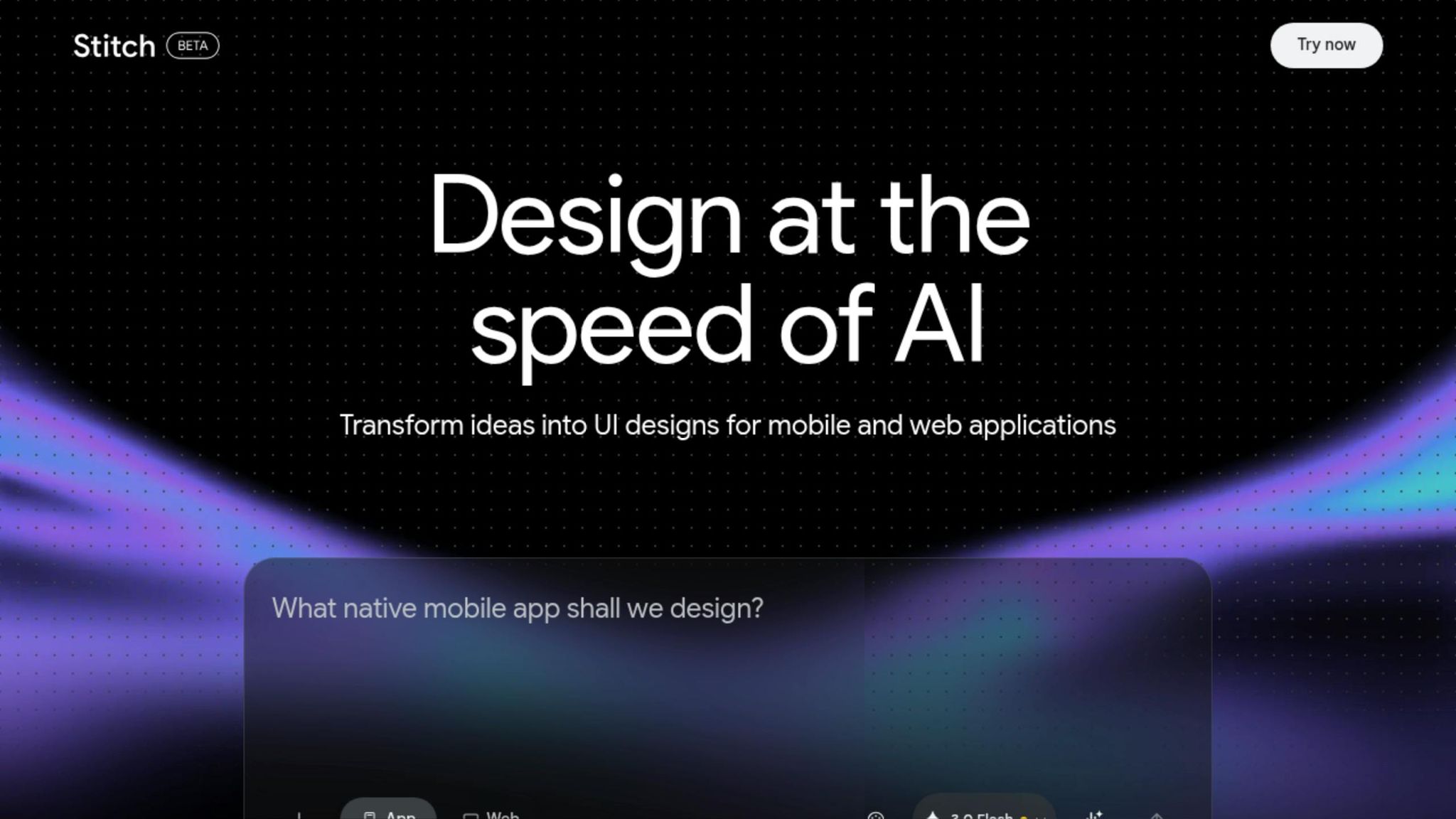
Stitch is an AI-powered design tool from Google Labs that helps transform abstract ideas into clickable prototypes in just 60–90 seconds. Using advanced Gemini AI models, Stitch takes a fresh approach to UX design by skipping traditional wireframes. Instead, you simply describe your business goal or the vibe you want users to experience - like "premium and minimalist" or "playful and colorful" - and Stitch generates multiple design concepts that match your intent.
Rustin Banks, Product Manager at Google Labs, explains:
"Instead of starting with a wireframe, you can start by explaining the business objective you're hoping to achieve, what you want your users to feel, or even examples of what's currently inspiring you."
Ideal Use Case
Stitch is perfect for early-stage product development when teams need to brainstorm and validate ideas quickly. It’s especially useful for founders and product teams transitioning from rough sketches to polished, multi-screen prototypes in minutes. One standout feature is the Voice Canvas, which lets you make real-time updates through voice commands - like changing colors or tweaking menus. In Experimental Mode, you can even upload hand-drawn sketches to automatically generate refined interfaces. These tools streamline the prototyping process while delivering high-quality results.
Core Personalization Feature
One of Stitch’s standout features is its Vibe Design approach. Instead of specifying exact design components, you describe the mood or brand personality you want, and the AI creates layouts that reflect those qualities. The platform also includes DESIGN.md, a markdown file for exporting and importing design rules, ensuring consistency across projects. For more complex needs, the Smarter Design Agent steps in to ask clarifying questions, helping refine your vision and maintain cohesive designs.
Pricing Tiers (USD)
Stitch is currently free as part of its Google Labs beta. Users can access:
- Standard Mode: 350 generations per month, powered by Gemini 2.5 Flash for speed.
- Pro/Experimental Mode: 200 generations per month, using Gemini 2.5 Pro for higher fidelity and image-to-UI conversion.
Designs can be seamlessly exported to Figma with Auto Layout or downloaded as functional HTML/CSS code, making developer handoffs smoother.
Primary Benefit for UX Designers
Stitch tackles the "blank canvas" problem by instantly generating multiple layout options, freeing designers to focus on strategic decisions rather than repetitive tasks. Its Multi-Select feature (Shift + Click) allows you to apply theme changes across multiple screens at once, saving time and preserving generation credits. Josh Woodward, VP of Google Labs, highlights this advantage:
"AI can be a creativity multiplier, helping people explore many ideas quickly".
4. Jasper
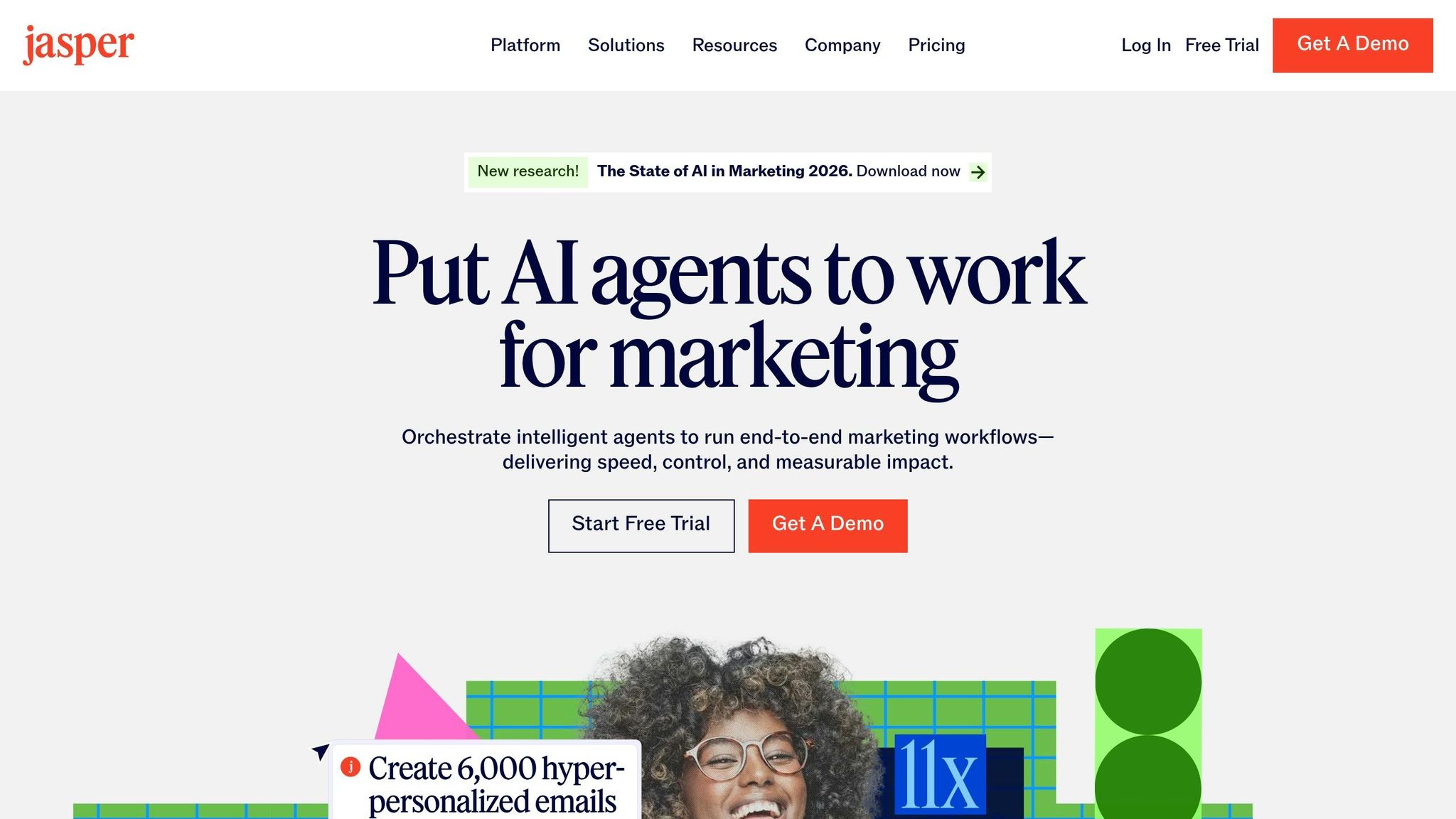
Jasper is an AI-driven content platform designed to deliver personalized UX writing at scale. Unlike tools that focus solely on visuals, Jasper excels in creating customized, brand-aligned copy for landing pages, user journeys, and multi-channel campaigns. Its Personalization Agent directly integrates with your CRM (currently supporting Salesforce), leveraging real-time customer data to craft messages tailored to specific audience segments, roles, and account-level details. By using individual user data, Jasper ensures its content resonates on a deeper level.
Ideal Use Case
Jasper is particularly suited for account-based marketing UX and personalized landing pages. It generates content that adapts based on firmographic data, user behavior, and lifecycle stage. This goes beyond cookie-cutter templates, delivering truly personalized experiences. For example, after a December 2025 integration, companies reported a 37.5% increase in RFP responses.
Core Personalization Feature
At the heart of Jasper's capabilities is its Jasper IQ system. This feature ensures all personalized content aligns with your brand by combining Brand IQ (which incorporates your brand voice, style guide, and visual standards) with Marketing IQ (audience personas and a knowledge base). Together, these tools anchor every piece of generated content to your brand identity. Additionally, the Jasper Grid interface allows for scalable personalization by turning contact lists into tailored landing page copy. Its centralized Knowledge Base provides the AI with essential product details to reference during the personalization process.
Pricing Tiers (USD)
Jasper offers two pricing options:
- Pro plan: $59/month per seat (billed annually) or $69/month (billed monthly). This plan includes one seat, two Brand Voices, five Knowledge assets, and three Audiences.
- Business plan: Custom pricing with added perks like unlimited Brand Voices and Knowledge assets, API access, SSO, and dedicated account management.
Primary Benefit for UX Designers
For UX designers, Jasper simplifies the process of adapting content across different markets and user segments. Its Canvas editor combines AI-powered content generation with easy editing, allowing teams to produce polished, on-brand copy for prototypes quickly. This ensures consistency between design and messaging. Sarah Chen, VP of Marketing at GrowthLabs, highlighted its impact:
"We've seen email marketing productivity increase 400% since implementing AI tools. What used to take our team 40 hours weekly now takes 8 hours, with better performance metrics across open rates, clicks, and conversions."
5. Adobe Firefly
Adobe Firefly is designed to create high-quality, brand-specific visual content. It’s trained exclusively on content that Adobe has rights to, and enterprise plans include IP indemnification, eliminating potential legal issues tied to stock photography. By focusing on dynamic visual personalization, Firefly offers UX teams a way to generate assets that are not only visually appealing but also legally secure and aligned with brand guidelines.
Ideal Use Case
Firefly is perfect for crafting brand-aligned assets for UX mockups and prototypes. Its Custom Models feature (public beta as of March 2026) allows designers to train the AI with as few as 10 images, enabling it to mimic distinct styles. For example, in March 2026, Amazon Fresh reported cutting production time for on-brand visuals by 93% using Firefly. Meanwhile, Mattel eliminated the need for new sample costs by streamlining their packaging design and approval processes with the tool.
Core Personalization Feature
Firefly Boards offer a collaborative space where multiple AI models can work together. Key features like Custom Models and Project Moonlight ensure style consistency and automate complex formatting tasks. Deepa Subramaniam from Adobe highlights the importance of this feature:
"Your style is your signature. If you're a creative pro or brand, it's your identity... Custom models let you turn your creative style into a reusable model trained on your own images".
Additionally, Project Moonlight (currently in private beta) acts as a conversational assistant that understands your stylistic preferences and automates multi-step tasks, such as formatting image carousels.
Pricing Tiers (USD)
| Plan | Price | Monthly Credits | Key Features |
|---|---|---|---|
| Firefly Free | $0.00/mo | Limited | Standard image features and mood boards |
| Firefly Standard | $9.99/mo | 2,000 | Unlimited access to Generative Fill and mood boards |
| Firefly Pro | $19.99/mo | 4,000 | Includes Adobe Express Premium and Photoshop (web/mobile) |
| Firefly Premium | $199.99/mo | 50,000 | Unlimited access to Firefly Video Model; includes Photoshop and Express Premium |
These plans give teams the flexibility to choose an option that matches their design needs and workflow demands.
Primary Benefit for UX Designers
Firefly helps UX teams iterate quickly while staying true to their brand identity. In early 2026, Gatorade used Firefly to create thousands of personalized, on-brand assets for immersive digital experiences. Similarly, Coca-Cola’s creative team increased content production speed by up to 10x. Because Firefly integrates seamlessly with Adobe Creative Cloud apps, designers can easily transition from AI-generated content to detailed refinements without switching platforms.
6. Attention Insight
Attention Insight uses a Convolutional Neural Network trained on 5.5 million eye-tracking fixations to produce predictive heatmaps, focus maps, and clarity scores in under 60 seconds, delivering up to 96% accuracy. This tool helps validate visual hierarchy before launch, saving time and effort for designers.
Ideal Use Case
Attention Insight is particularly effective for pre-launch validation of design elements like call-to-action (CTA) buttons, headlines, and key visuals. Its Focus Map feature highlights which elements grab attention - or fail to - within the critical first 3–5 seconds of user interaction. For example:
- Filmelier increased CTA button clicks by 258%.
- Humana saw a 433% boost in banner click-through rates after refining their design hierarchy with the tool.
Florian Boelter, Staff Product Designer at Juro, shared his experience:
"I tested both versions with AI-generated attention maps and chose the one with a clearer hierarchy".
The tool's speed and precision allow for rapid design adjustments, ensuring maximum impact.
Core Personalization Feature
In the age of hyper-personalized user experiences, Attention Insight's standout feature is the Percentage of Attention. This lets designers define custom Areas of Interest (AOI) to measure precisely how much visual attention each UI element captures. The tool also provides AI-driven AOI recommendations, supported by the Vision LLM, which suggests ways to improve visibility for key elements like personalized CTAs and headlines.
To further assist designers, the Clarity Score rates design clarity on a scale of 1–100. Scores between 60 and 94 indicate "Optimal Clarity". According to Rhiddhit Paul, Senior Product Designer at HumanX:
"It's become a valuable part of my design iteration process, and an incredibly reliable way to explain the benefits of different designs when working with Product Managers".
Pricing Tiers (USD)
| Plan | Monthly Price | Annual Price | Key Features |
|---|---|---|---|
| Basic | $31.00/mo | $24.00/mo | 1 user, 40 credits, includes watermark |
| Pro | $129.00/mo | $98.00/mo | 2 users, 200 credits, no watermark, 3-minute video testing, API access |
| Hero | $324.00/mo | $271.00/mo | 2 users, unlimited credits, 30-minute video testing, expert feedback, SSO |
A 14-day free trial is available, no credit card required. The credit system is simple: 1 credit equals one image analysis, one AI recommendation, or one second of video analysis.
Primary Benefit for UX Designers
Attention Insight replaces subjective feedback with clear, measurable data. Its seamless integration with popular tools like Figma, Adobe Photoshop, and Adobe Express, as well as a Chrome extension for live website analysis, makes it a natural addition to any workflow.
Real-world results speak volumes:
- The Skin Deep achieved a 93% increase in homepage conversions after applying insights from the tool.
- Omnisend boosted demo signups by 30% by eliminating distracting design elements.
On average, designs optimized with Attention Insight recommendations see a 23% improvement in conversion rates. It’s a game-changer for designers looking to create impactful, data-driven designs.
7. UX Pilot
UX Pilot is an AI-driven design tool that transforms sketches, PRDs, or text prompts into high-fidelity prototypes in as little as 12 seconds. With over 600,000 users as of March 2026, it has become a favorite among designers who need to quickly turn concepts into production-ready screens. Its Figma plugin alone has been installed more than 100,000 times within the Figma Community.
Ideal Use Case
UX Pilot is particularly useful for creating multi-screen user flows, such as onboarding sequences or checkout processes, where maintaining visual and logical consistency is critical. The tool simplifies rapid prototyping by integrating with existing Figma design systems and generating on-brand components directly within Figma.
Anne-Laure Joliot, a Design Manager, shared her perspective on its efficiency:
"The content suggestions based on the prompt and going straight to hifi prototypes... basically skipping the wireframes stage".
The tool doesn't just save time; it enhances design output. Maxime, a Senior Developer, expressed:
"Consistency in the design, ideas, direction, we feel like we hired 2 senior designers just by using UX Pilot every day".
Its ability to streamline workflows while delivering polished results makes it a valuable asset for design teams.
Core Personalization Feature
UX Pilot stands out by offering custom AI training to align with specific design needs. Designers can upload Figma components - such as buttons, typography, color systems, and brand patterns - to train the AI, ensuring that every screen generated adheres to their brand guidelines and component logic.
The tool also includes image-based style derivation, allowing users to analyze reference images or design inspirations to match a desired aesthetic. For even greater precision, the prompt enhancer takes simple ideas and turns them into detailed product descriptions before generating designs.
Pricing Tiers (USD)
| Plan | Monthly Price | Key Features |
|---|---|---|
| Free | $0 | One-time credits for 7–15 screens; includes heatmaps and design reviews |
| Standard | $14–$15/mo | 70 screens/mo, Figma export, code export, basic screen flows |
| Pro | $22–$29/mo | 200 screens/mo, unlimited screen flows, Image-to-Design, design system sync |
| Teams | $31/user/mo | Shared credits, team management, collaboration features |
Annual billing offers approximately 25% savings. The Free plan is a great way to test the tool’s capabilities before committing to a paid tier.
Primary Benefit for UX Designers
UX Pilot doesn’t just speed up the design process - it also reduces back-and-forth between designers and developers. It generates clean code and production-ready templates, cutting down on iterations. Its predictive heatmaps analyze visual hierarchy, helping designers identify issues like hidden call-to-action buttons or poor information flow before hand-off.
Ahmed Abdo, a Product Manager, highlighted the platform’s impact:
"It's a game-changer for UI/UX design! The AI-powered features make designing intuitive and efficient, from generating smart layouts to suggesting improvements".
With a 4.2/5 overall rating and 4.6/5 for ease of use (as of March 2026), UX Pilot has proven its effectiveness. Its two-way Figma sync feature allows seamless integration, enabling designers to import and export designs for usability reviews - an edge over tools that only allow exports.
8. Khroma
Khroma is a free, AI-driven color palette generator that tailors its suggestions based on your personal style. Unlike random generators, it asks you to choose 50 colors upfront, allowing the algorithm to better understand your preferences in hue, saturation, and luminance.
Ideal Use Case
Khroma is especially useful during the early stages of design when you need to quickly identify palettes that align with a brand's identity or project goals. It’s also a great tool for accessibility-focused design. By providing WCAG contrast ratings for every generated color pair, it ensures compliance with AA and AAA standards for both normal and large text. Designers can also evaluate color combinations in practical applications, like typography, gradients, and image overlays, helping them see how the colors perform in real UI scenarios.
Core Personalization Feature
Khroma’s neural network adapts to your color preferences while filtering out those you dislike. If your design needs change, you can retrain the algorithm by selecting a new set of 50 colors. Its search and filter options allow you to find palettes based on hue, tint, value, or specific hex and RGB codes. A reviewer from HubSpot Blog highlighted its appeal:
"The layout for the color pairings is beautiful, and I see a lot of potential in this tool".
These customization features make it a powerful tool for designers looking for efficiency and precision.
Pricing Tiers (USD)
Khroma is completely free, with no subscriptions or account setup required. During its beta phase, all training data and saved palettes are stored locally in your browser. While a future version 1.0 with potential cloud features is in the works, no pricing details for that version have been shared yet. For now, the free model makes it accessible to a wide range of users.
Primary Benefit for UX Designers
Khroma’s standout advantage is the time it saves during the color selection process. By automatically calculating contrast ratios - 4.5:1 (AA) and 7:1 (AAA) for normal text, and 3:1 and 4.5:1 for large text - it eliminates the need for manual testing to meet WCAG compliance. Additionally, you can export hex codes, RGB values, and CSS snippets directly to design tools like Figma, ensuring seamless integration between design and development.
Tool Comparison Table
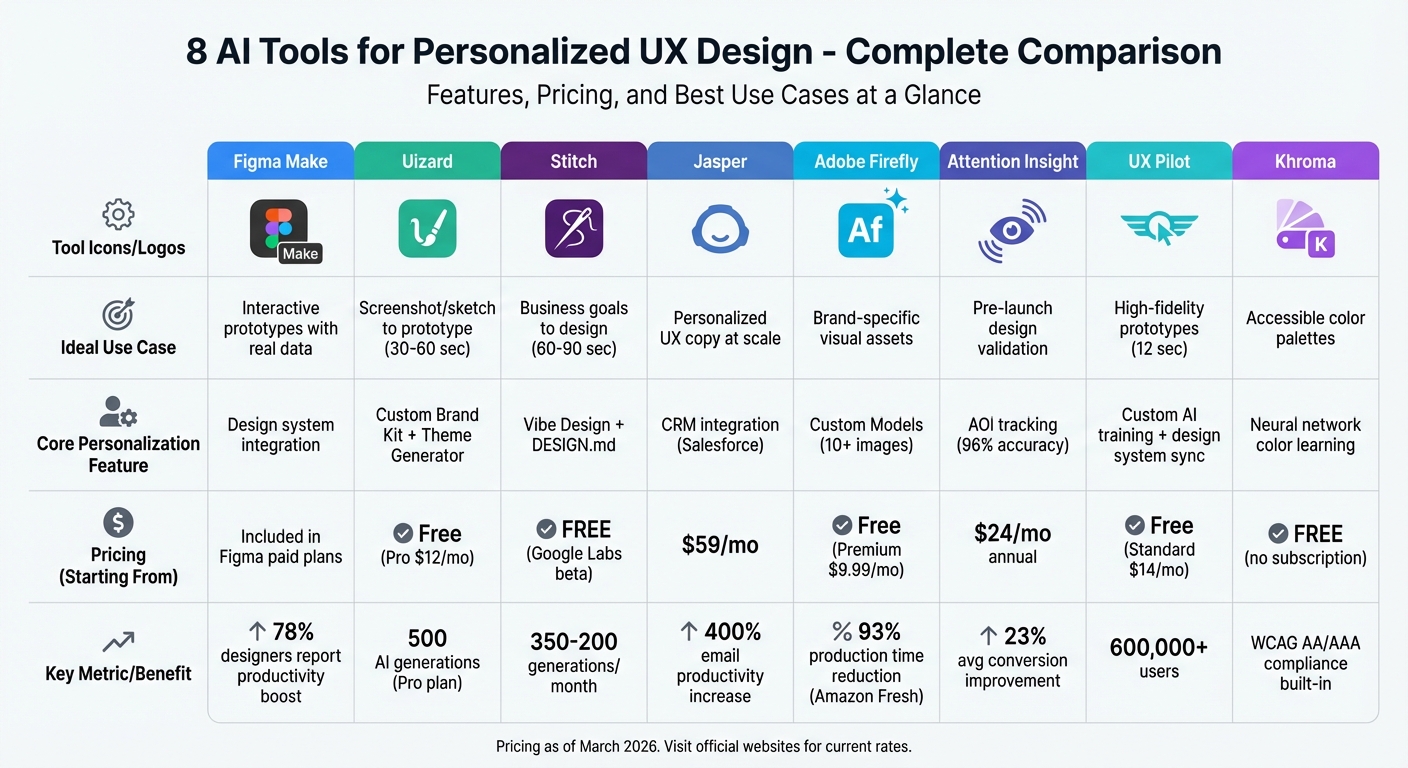
AI UX Design Tools Comparison: Features, Pricing, and Use Cases
This table brings together essential details about each AI tool, making it easier to find the one that fits your needs.
| Tool | Ideal Use Case | Core Personalization Feature | Pricing Tiers (USD) | Primary Benefit for UX Designers |
|---|---|---|---|---|
| Figma Make | Figma users needing interactive, multi-screen prototypes | Design System Awareness - pulls directly from existing components, styles, and variables to ensure brand consistency | Pricing available per plan | Maintains brand consistency by integrating with your design system |
| Uizard | Non-designers and product teams converting sketches or screenshots into editable mockups | Sketch-to-Design and Screenshot-to-Design functionality for rapid digitization | Pricing available per plan | Converts hand-drawn sketches into digital, editable mockups |
| Stitch | Rapid prototyping within Material Design standards | Material Design compliance automation | Pricing available per plan | Ensures consistency with Google's Material Design standards |
| Jasper | Crafting personalized UX copy and microcopy | AI-powered writing tools that replaces lorem ipsum with contextual content | Pricing available per plan | Generates contextually relevant copy, eliminating generic placeholders |
| UX Pilot | Teams needing rapid prototyping and layout validation | Predictive heatmaps to simulate user attention and an automated Design Review Bot for accessibility | Pricing available per plan | Automates repetitive validation tasks and ensures accessibility compliance |
| Khroma | Early-stage color palette selection with an accessibility focus | Neural network adapting to personal color preferences with WCAG contrast ratings | Free (no subscription required) | Calculates WCAG-compliant contrast ratios |
Free tools like Khroma are excellent for specific tasks, much like free AI writing tools help with content, while premium platforms provide more robust features for handling complex design workflows. Choose the tool that aligns with your goals and workflow to create a tailored user experience.
Conclusion
AI tools have made personalization easier and more efficient for UX designers. By automating routine tasks, designers can dedicate more time to solving complex problems and focusing on user needs. The eight tools discussed in this article tackle specific challenges - whether it’s generating predictive heatmaps, crafting accessible color palettes, or creating production-ready prototypes - all aimed at delivering tailored user experiences.
Research highlights how AI enhances efficiency and speeds up feature delivery, directly contributing to increased revenue.
"AI won't replace you. A person using AI will." - Ioana Teleanu, Senior Product Designer
With this knowledge, your next step is clear: check the comparison table and pinpoint the tool that fits your current project phase and workflow. If you're in the brainstorming stage, free options like Khroma or Uizard's free tier are great starting points. For teams already working in Figma, Figma Make offers easy integration. And if legal compliance or accessibility is a priority, Adobe Firefly’s licensed features can provide peace of mind.
FAQs
Which AI tool should I start with for my current UX phase?
Using a tool like a User Persona Generator, potentially powered by something as advanced as Google Gemini AI, can help you create detailed and varied user personas that align perfectly with your UX design phase. These tools streamline the process of identifying your target audience's needs, preferences, and behaviors, making it easier to design experiences that feel personal and relevant.
How can I keep AI-generated designs on-brand?
To keep AI-generated designs aligned with your brand, tools like Typeface AI Blend can be incredibly helpful. These platforms let you set up a central repository for your brand assets, establish clear guidelines, and train the AI to reflect your brand's voice, style, and visual identity. This ensures your content stays consistent and cohesive across the board.
Do predictive heatmaps replace user testing?
Predictive heatmaps aren't a substitute for user testing. These AI-powered tools are designed to predict how users might interact with a design and identify possible areas of friction early on. While they can offer helpful insights during the design phase, user testing is still critical to understanding actual user behavior and fine-tuning the experience based on real-world interactions.

