Quick answer
A blog post content generator is most useful when you already know the article topic and need help producing the actual content blocks that make the post publishable. In 2026, the best options in this category help with introductions, section development, FAQs, transitions, summaries, and rewrites, while still giving the writer enough prompt control to shape the post around a real editorial goal.
That is the key distinction. A blog post generator is often judged as a full-draft engine. A blog content generator is often judged on reusable sections. A blog post content generator sits between those two ideas and is best evaluated on whether it helps turn one planned article into a stronger, more complete draft without creating rewrite debt.
If the tool gives you polished filler, weak examples, or sections that drift away from the angle, it is not solving the problem. If it reliably creates post-ready blocks that an editor can verify and tighten, it becomes a real production layer.
This guide explains how to evaluate the category, which tools are worth studying, how to test the workflow properly, and how teams turn generated post content into something publishable.
sbb-itb-a759a2a
Why the category matters in 2026
The query blog post content generator sounds close to several other AI-writing categories, but the workflow behind it is more specific than it looks.
Many teams are not stuck because they have zero ideas. They are not even always stuck on the first full draft. They are stuck because one blog post still requires a lot of mid-stage work:
- turning an outline into useful body sections
- expanding thin parts of a draft
- rewriting weak paragraphs so they fit the article angle better
- adding FAQs, summaries, and transitions
- making one article feel coherent from top to bottom
That is why this category matters. It is not mainly about topic discovery and not purely about one-click article generation. It is about helping one planned blog post get from rough structure to stronger content quality faster.
That middle layer matters more in 2026 because editorial teams are no longer asking whether AI can write at all. They are asking whether it can reduce the slowest parts of article production without raising factual risk or turning the editor into a cleanup machine.
What a blog post content generator should actually do
A strong tool in this category should improve the content quality inside one blog post, not just generate text for the sake of output.
| Job | What a strong tool should help with | What weak tools usually do |
|---|---|---|
| Intro building | Draft first-screen answers that connect topic and intent quickly | Produce generic openings that delay the point |
| Section expansion | Turn headings, bullets, or notes into useful body content | Stretch thin points into longer but still vague copy |
| Transition support | Make sections flow into each other logically | Leave the article feeling disconnected |
| FAQ generation | Add relevant supporting questions tied to the post angle | Generate broad FAQs that do not strengthen the article |
| Rewrite control | Improve weak passages without changing the post’s intended meaning | Replace one weak paragraph with another weak paragraph |
That is why this page should stay focused on post-level content quality. The person searching for blog post content generator is usually not asking for only topic ideation, and they are not necessarily asking for a full auto-published post either. They want help building a stronger article draft.
Practical framework: how to evaluate a blog post content generator
The smartest way to compare tools is to score how well they improve one article, not how impressive the interface feels in a demo.
| Criterion | What to check | Why it matters |
|---|---|---|
| Section usefulness | Do the generated sections actually strengthen the post? | Good output should reduce rewrite work immediately |
| Prompt control | Can you steer angle, audience, tone, and content depth? | Strong prompt control makes the article more reusable |
| Draft cohesion | Do the sections feel like parts of one post, not separate snippets? | Cohesion matters if the article is going to publish cleanly |
| Verification burden | How many claims or examples still need correction? | Editorial safety matters more than fluent wording |
| Workflow fit | Can your team move from outline to draft to publish without friction? | A tool that slows the handoff is not helping enough |
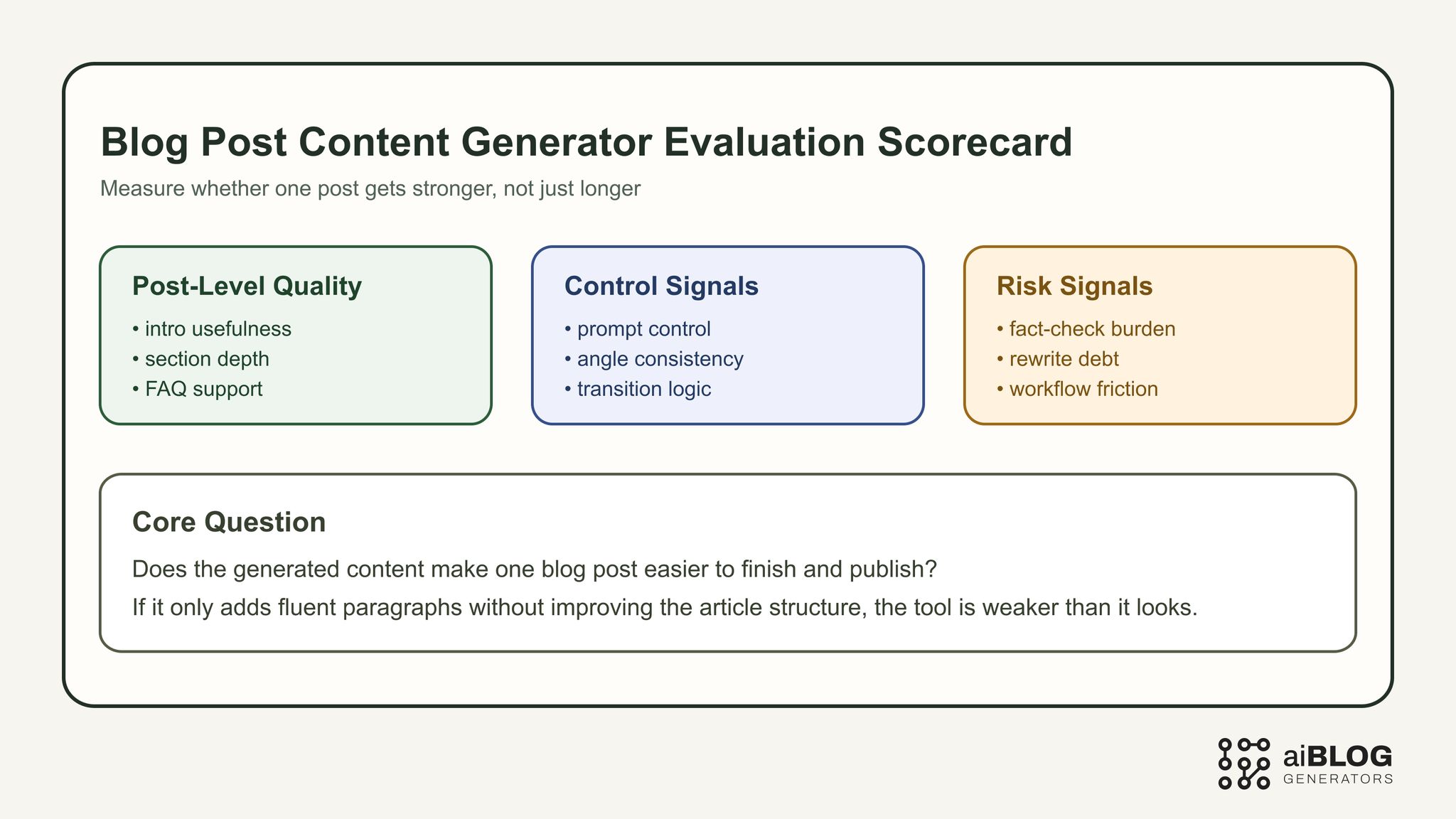
Blog Post Content Generator Evaluation Scorecard
A useful rule is to judge the category by how much stronger the post becomes after generation. If the content still needs heavy restructuring before it is usable, the workflow gain is weaker than it appears.
External examples and tools worth studying
You do not need to study every vendor page. You need a shortlist that shows how different products frame post-level content generation and editorial workflow value.
| Example | Type | Why it belongs in this guide | URL |
|---|---|---|---|
| QuillBot AI Blog Post Generator | Direct generation tool | Strong benchmark for prompt-to-post framing and accessible generation flow | https://quillbot.com/ai-writing-tools/ai-blog-post-generator |
| RyRob Free AI Article Writer | Creator workflow | Useful for quick-answer structure, creator-oriented language, and practical testing ideas | https://www.ryrob.com/ai-article-writer/ |
| AIOSEO Best AI Blog Post Generators | Comparison article | Good benchmark for buyer logic, shortlist formatting, and tool pros/cons | https://aioseo.com/best-ai-blog-post-generators/ |
| Jasper AI Blog Post Writer | Premium writing workflow | Helpful for understanding structured post creation and stronger output controls | https://www.jasper.ai/tools/ai-blog-post-writer |
| Writesonic AI Article Writer | SEO-oriented workflow | Useful for seeing how products frame long-form article support and prompt expansion | https://writesonic.com/ai-article-writer |
| Copy.ai Blog Post Wizard | Guided workflow | Good reference for turning a post brief into a staged drafting process | https://www.copy.ai/tools/blog-post-wizard |
The point is not to mimic these pages. It is to understand how the market describes post-level content creation, what kinds of buyer questions are repeated, and where different tools place value inside the drafting workflow.
Where this query differs from nearby pages
This page sits close to several siblings, but the center of gravity is different.
Blog post generator
That page is more about whole-draft generation. This page should be more focused on building and improving the actual content inside a blog post.
Blog content generator
That page should stay broader and cover reusable content blocks across workflows. This one should stay tightly anchored to one post-level asset.
AI blog post generator
That page should lean more explicitly into AI-first product framing. This article can stay more workflow-first and editorially grounded.
Free blog content generator
That query shifts toward free-plan value, limits, and quota tradeoffs. This page should keep output quality and post production as the main story.
That distinction matters because without it, these pages blur together and none of them owns a clean search intent.
How to test a blog post content generator properly
If you want a serious comparison, test the tool on the exact post-building jobs you expect it to handle.
Test 1: intro and first-screen answer
Prompt example: “Write an introduction for a blog post about AI content tools for startup marketers. Answer the core question in the first two sentences, keep it practical, and avoid hype.”
What to check:
- whether the first screen gets to the point quickly
- whether the intro matches the article angle
- whether the content sounds useful instead of generic
Test 2: section development from an outline
Prompt example: “Expand this H2 into a blog post section for B2B SaaS marketers. Include one concrete example, one risk, and one action step.”
What to check:
- whether the section actually adds depth
- whether the example feels specific enough to keep
- whether the action step fits naturally
Test 3: transition and cohesion
Prompt example: “Write a transition paragraph that connects the section on tool selection to the section on editorial review. Keep the tone practical and concise.”
What to check:
- whether the article feels more coherent after generation
- whether the transition reduces repetition instead of adding it
- whether the tool understands section relationships
Test 4: FAQ and summary support
Prompt example: “Create four FAQ questions and answers that strengthen this blog post without repeating the exact same points already covered above.”
What to check:
- whether the FAQs truly support the post
- whether the answers are concise but useful
- whether the generated content adds coverage rather than clutter
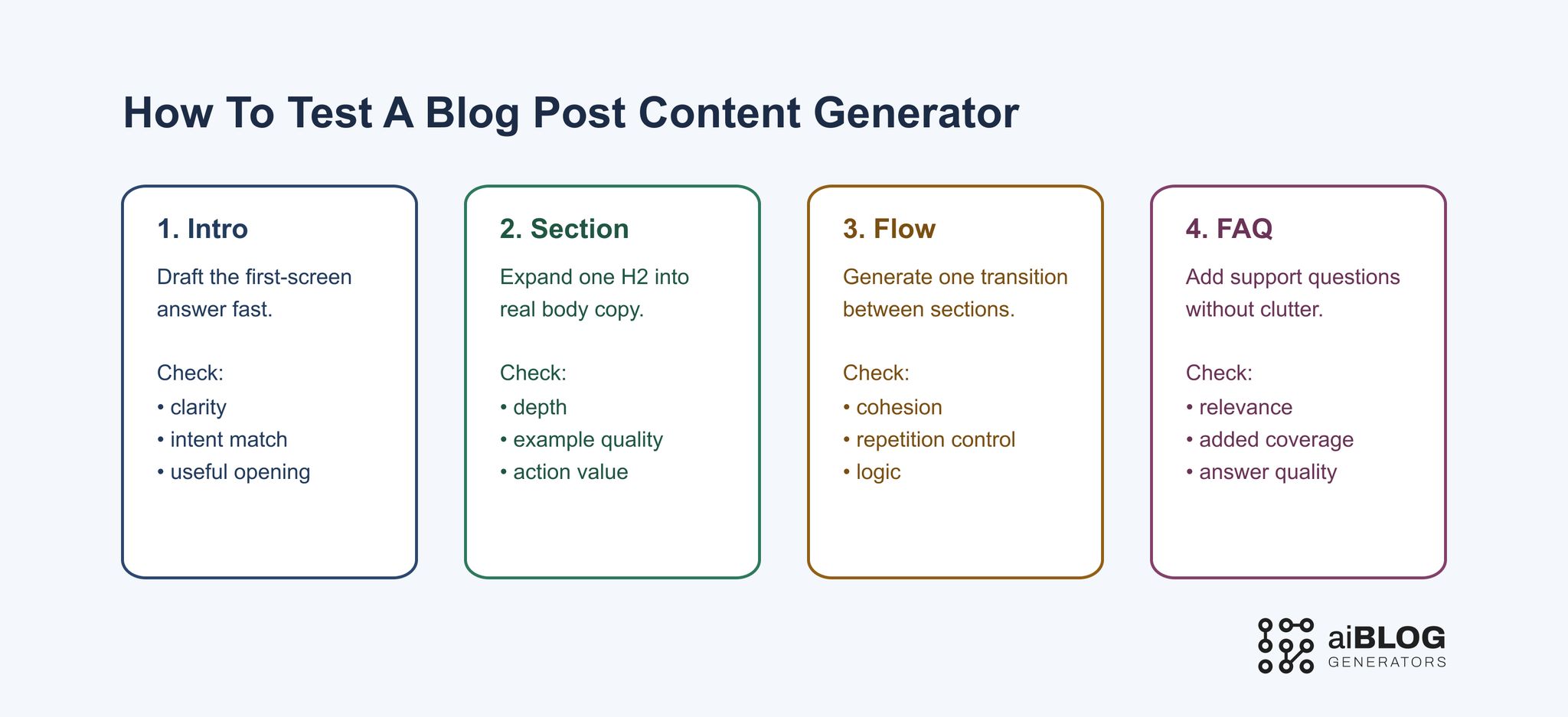
How to Test a Blog Post Content Generator
What free plans are actually good for here
Free tools can help in this category, but usually in narrower roles.
A free plan is often good enough for:
- drafting intros
- expanding one or two sections from an outline
- rewriting weak paragraphs
- generating FAQ candidates
- testing whether the workflow improves one article at all
A free plan is usually weaker when you need:
- several rounds of post refinement
- stronger prompt control across multiple sections
- cleaner formatting and export workflows
- stable long-form quality across a full article
- lower factual risk under repeated use
That is why free options are often best used as evaluation layers, not complete production systems.
Quality control, human review, and factual verification
A blog post content generator can help you move faster, but it cannot safely replace review.
Human review still needs to check:
- whether the article still answers the right reader question
- whether examples are real and relevant
- whether transitions and section order still make sense
- whether claims feel too broad or unsupported
- whether the tone and CTA fit the audience stage
This matters because post-level content often looks more polished than it actually is. A weak paragraph can sound fluent while still missing the article’s real purpose.
Practical implementation plan for real teams
The strongest use of a blog post content generator is not “press button and publish.” The better model is “generate, evaluate, refine, and verify.”
Step 1: lock the article angle first
Before generation starts, define:
- who the post is for
- what question it answers
- what action or understanding the reader should leave with
Step 2: approve the section map
Even if the tool can generate a full draft, it performs better when the article structure is already clear.
Your section map should usually include:
- intro goal
- H2 sequence
- proof or example slots
- FAQ opportunities
- final CTA direction
Step 3: generate section by section where needed
Instead of asking for one giant post every time, use the tool on the parts where it adds the most value:
- first-screen intro
- weak middle sections
- FAQ blocks
- transitions
- summaries and conclusions
Step 4: measure edit burden, not generation speed
Track:
- time to usable post draft
- number of factual fixes needed
- number of structural rewrites needed
- prompt responsiveness by section type
- whether the final post feels coherent enough to publish after review
Step 5: keep final review mandatory
The generator should reduce production friction. It should never become a replacement for editorial judgment.
Common mistakes to avoid
Mistake 1: treating post content like generic filler
A blog post is not just a stack of paragraphs. Each section has to help the post’s argument or teaching goal.
Mistake 2: judging the tool by fluency alone
Smooth language does not guarantee useful structure, examples, or factual reliability.
Mistake 3: skipping transition checks
Many generated posts fail not because the sections are terrible, but because the article does not hold together as one piece.
Mistake 4: forcing a full-draft workflow every time
Some teams get better results by using the generator only on the weak parts of a draft instead of on the whole article.
Mistake 5: blurring this page with broader siblings
If the article becomes too broad, it starts competing with blog post generator, blog content generator, and the free variants instead of owning its own role.
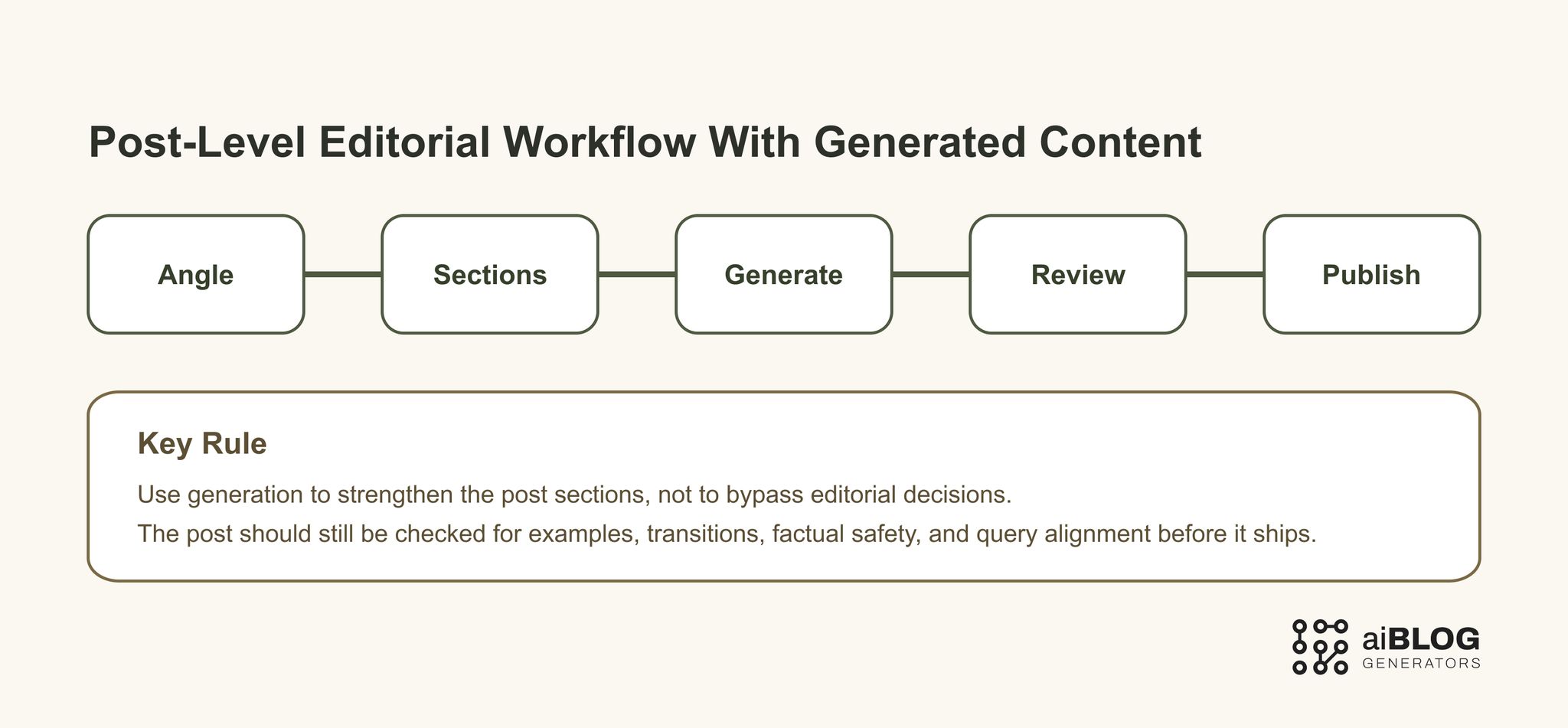
Post-Level Editorial Workflow with Generated Content
Where AIBlogGenerators fits
AIBlogGenerators fits best when you want to compare post-generation workflows, test how different prompt styles affect draft quality, and understand what kind of generation support actually helps your content process.
If your priority is stronger drafting assistance, start with AI Writer. If you want to see how article-generation workflows fit together at a broader level, AI Blog is the better companion path.
If you are comparing post-level content workflows, it also helps to compare Blog Content Generator for the broader content-generation category, AI Blog Post Generator when the workflow needs stronger draft creation rather than content-block assembly, and Free AI Blog Post Generator when free-plan limits are part of the decision.
FAQ
What is a blog post content generator?
A blog post content generator is a tool that helps produce the actual written parts of a blog post, such as intros, body sections, transitions, FAQs, and summaries. It is best judged by how well it helps turn a planned post into a stronger draft.
Is a blog post content generator the same as a blog post generator?
Not exactly. A blog post generator usually implies whole-draft creation, while a blog post content generator is often more useful for improving and building the content inside one post in a more controlled way.
Can I use a blog post content generator for SEO content?
Yes, but it should be treated as a drafting layer, not a complete SEO system. You still need intent alignment, factual review, useful examples, internal links, and editorial judgment.
Are free blog post content generators good enough?
They can be helpful for intros, section drafts, FAQ blocks, and small workflow tests. They are usually less dependable when you need stable long-form quality or repeated editorial use.
What should I test before choosing a tool?
Test intro quality, section expansion, transition support, FAQ usefulness, prompt responsiveness, and how much human editing the output still needs before publish.